iOS instructions (for iOS 10.3 or later)
To retrieve the crash log:
1- Navigate to your device Settings > Privacy > Analytics & Improvements > Analytics Data.
2- Find and open the one with [Appname] - crashdate - number.ips
3- Tap the share icon at the top right.
4- Tap on 'Mail'.
5- Send it to us at support@ustwogames.zendesk.com and include your case number to your message.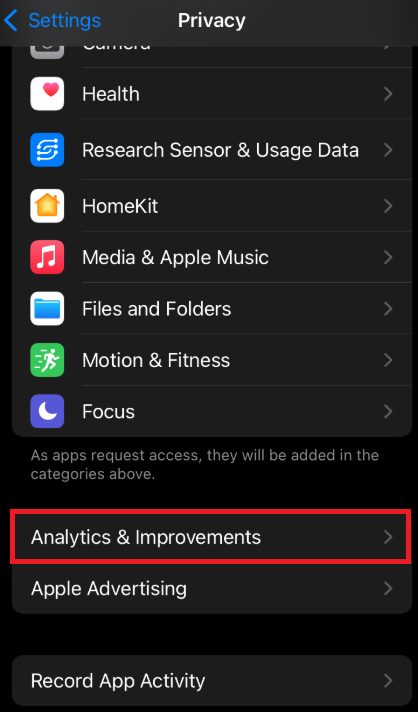
iOS instructions (for iOS 10 to iOS 10.2)
To retrieve the crash log:
1- Navigate to your device Settings > Privacy > Diagnostics & Usage.
2- Find and open the one with [Appname] - crashdate - number.ips
3- Tap the share icon at the top right.
4- Tap on 'Mail'.
5- Send it to us at support@ustwogames.zendesk.com and include your case number to your message.
Comments
0 comments
Please sign in to leave a comment.