To be able to retrieve the crash log, you'll need to enable 'Developer Options' first. This will give you a few more advanced settings. Other than making these additional settings visible, it will not make any changes to your device.
To enable Developer Options:
1- Navigate to your device Settings > About Device > Build Number (SAMSUNG)
Navigate to your device Settings > About Phone > Software Information > Build Number (LG)
Navigate to your device Settings >About > Software Information > More > Build Number (HTC)
2- After you found your build number (it’s typically the last one), tap it 10 times, until you see a message that says “You are now a developer!”.
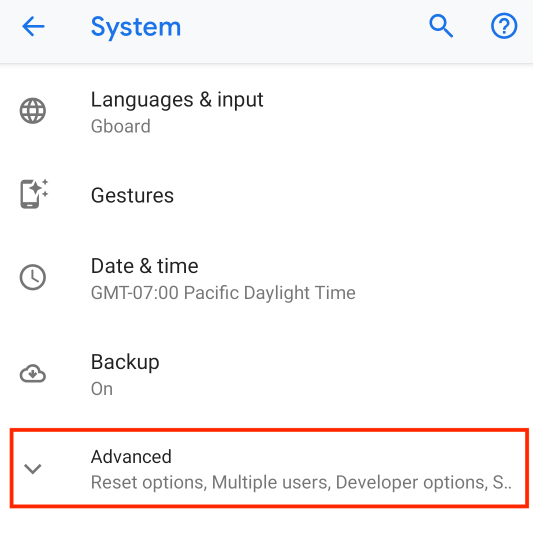
3- Tap the back button to leave the “About” page. The new Developer Options item will now be shown directly under "Settings - Advanced Options".
To retrieve the crash log:
1- Hard close and re-open the game or if the game were crashing in a certain chapter try opening that chapter until game crashes. You need to reproduce the crash.
2- After this, Navigate to your device Settings > Advanced Options> Developer Options.
3- Tap "Take bug report". If this option is disabled please try enabling the USB Debugging option in Developer Options and try again. This will prompt to email the bug report.
4- Send it to us at support@ustwogames.zendesk.com and include your case number to your message.
Comments
0 comments
Please sign in to leave a comment.